Week 2: Forms-A-Go-Go: Difference between revisions
From Mobile Application Design
Jump to navigationJump to search
m Protected "Week 2: Forms-A-Go-Go" [edit=autoconfirmed:move=autoconfirmed] |
No edit summary |
| (4 intermediate revisions by 2 users not shown) | |
(No difference)
| |
Latest revision as of 07:18, 12 September 2007
Setup for Eclipse users
- Download the Forms-A-Go-Go files and unzip them to somewhere in your filesystem
- Copy the entire Forms-A-Go-Go folder into your Eclipse workspace
- Create a new J2ME Project called - Forms-A-Go-Go. I like to use the Nokia S60 emulator - but you can use anything you like.
- Eclipse should automatically find all the files that we added if you spelled everything correctly
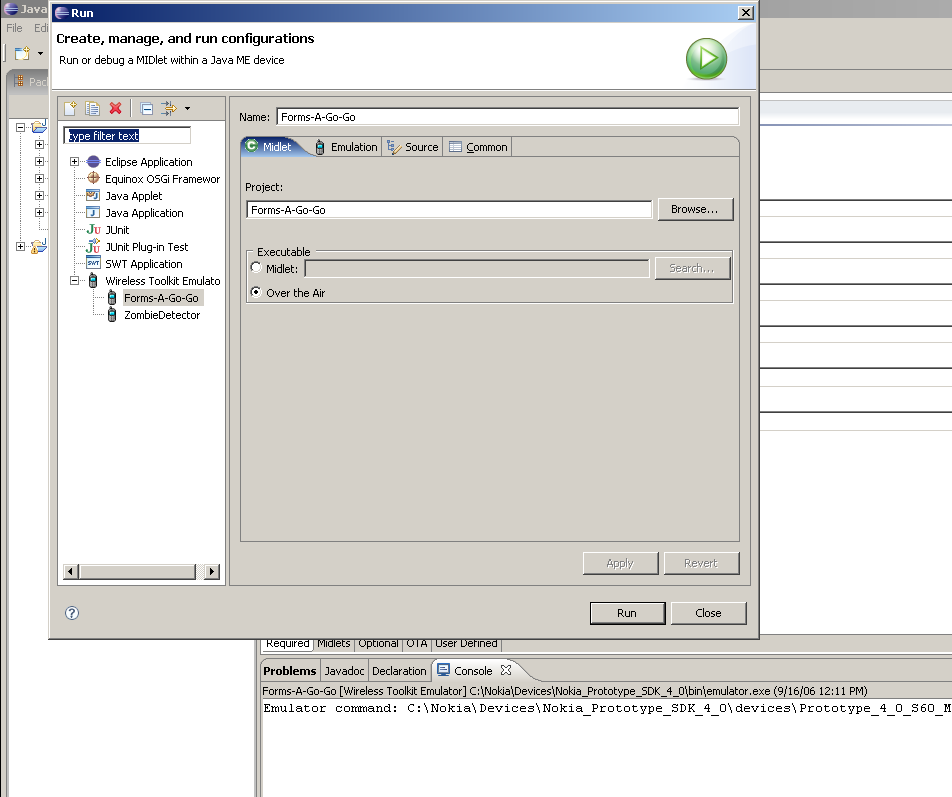
- Create a configuration to run your Midlet by right-clicking the project name, selecting Run as, Run...
- Make it look something like this -
- Run the MIDlet
Don't forget to read through the source code to see how everything works

