Course Wiki (for homework uploads) - http://uberthings.com/teaching/wiki/
Office Hours signup - http://uberthings.com/teaching/wiki/(mail me first)
Course tags:

 mobileappdesign
Instructor: Michael Sharon
Email:
Administrivia | Syllabus | API Reference
Course Mailing List - http://forums.nyu.edu/cgi-bin/nyu.pl?enter=mobappdesign
Course Wiki (for homework uploads) - http://uberthings.com/teaching/wiki/
Office Hours signup - http://uberthings.com/teaching/wiki/(mail me first)
Course tags: mobileappdesign
Mobile phones are the electronic devices that we keep closest to our bodies, minds and social lives. These minute multimedia production studios contain within their narrow plastic shells contact numbers, pictures, messages and videos of people that we hold dearest, communicate with daily and are most closely connected to. This class will focus on teaching students the fundamentals of developing applications for a number of mobile phones. Students are free to to use the tools and techniques learned as a means of expression in conjunction with other projects as well as to develop standalone projects.
The class will be taught mainly using the Java (J2ME) language although students are able to choose from other languages/platforms such as Flash Lite, BREW and Python. I will try to provide examples in as many languages as possible. Topics covered include an overview of the mobile industry, mobile user experience, mobile hardware platforms, development languages, cross-platform graphical user interfaces, network communication, optimisation techniques, versioning systems, and common development pitfalls. Weekly assignments will develop familiarity with the devices and techniques and students will be allowed to work independently or in groups to develop midterm and final projects.
The goal of this course is for students to develop an understanding of how to develop applications for mobile devices and explore the possibilities for realizing their ideas on the platform. Readings, discussion and hands-on development will provide students with insights and experience in developing mobile applications.
Mobile application design and development is a huge field that is constantly evolving. We're only going to be able to scratch the surface, so this course aims to achieve three things:
1. Teach students the basics of developing applications for mobile devices including creating wireframes, graphics and software as well as packaging and provisioning.
2. Familiarize students with the global mobile industry including the leading thinkers, sites, technologies and applications.
3. Learn some of the conventions of mobile user experience and think about ways of improving upon existing experiences.
There will be weekly programming assignments for nearly every class in the first half of the semester. These assignments are short, simple tasks which reinforce the concepts and techniques that have been taught in class. They are generally basic examples which give you a feel for the technologies or concepts being illustrated, and should be taken as starting points which you can use to generate your own applications. Assignments are required and turning in an assignment late will adversely affect your grade.
Attendance is mandatory and desirable if you'd like to maintain your grades and/or remain in the class. Please inform me via email if you are going to miss a class. Habitually showing up late for class or an excessive number of absences will adversely affect your grade.
Unless we're working on code in class, I will be sticking with the laptops closed rule. Although they may be invaluable for note taking and the Wikipedia is your special friend, the desire to answer emails, ping your friends and google obscure acronyms is far too strong. Since we're all going to be working on mobile phones, please turn your phone to silent before class begins so that we're not constantly interrupted by ring tones.
Participation and Attendance 30%
Weekly Research Assignments 20%
Midterm 25%
Final 25%


by Adam Greenfield
ISBN: 0321384016


by Jonathan Knudsen
ISBN: 1590594797


by Michael Yuan
ISBN: 0596009615
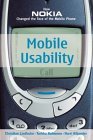

by Christian Lindholm,
Turkka Keinonen
ISBN: 0071385142
Discussion
What you need to know about the mobile ecosystem, technologies (GSM, CDMA, TDMA, iDEN), devices, carriers. Development Process - including J2ME architecture (MIDP, CLDC, lifecycle). How to push your round idea through the square hole of wireframes, architecture and prototypes. Setting up your environment, writing your first program ("Hello Mob").
Assignments:
1. Presentation groups: Work in groups of 2/3 to research a topic in mobile technology, programming or design that is interesting, innovative or just noteworthy. Prepare a 10 minute presentation which will be presented to the class. Pick a date for your presentations on the Homework Wiki
2. Set up your development environment correctly.
3. Download, install and setup Mobile.Processing
4. Build your own HelloMidlet application. Compile it and run it in an emulator of your choice. Upload the screenshot to your web site and create a link in the Homework Wiki. Extra credit for choosing an exotic/obscure emulator.
Resources
Lecture Notes (PDF)
HelloMidlet Tutorial for Eclipse
HelloMidlet Code (zipped)
Discussion
The web/laptop/desktop vs mobile user experience. Considerations when designing for mobile devices. What makes a good mobile application? Review of J2ME architecture + some programming concepts - discussion will cover the MIDlet life cycle, variables, control structures, constraints and limitations of working with J2ME. High level and low-level GUIs.
Assignments:
Theme: Zombies
1. Come up with an idea for a simple one or two screen MIDlet that uses some of the high level user interface components creatively. Run through the steps of the mobile development process that we went through in class. Document your work on your blog / site, then link to it on the Homework Wiki.
Check out these sites for inspiration: http://superbad.com and http://jodi.org. View source!
2. Use a low-level UI class like the Canvas or GameCanvas to draw an image that is vaguely zombie-like.(Optional: for advanced students. No example.)
3. What is your favourite mobile application (it can be anything on the phone - downloaded apps, native apps, sms etc)? Why? Write up a few paragraphs on why you like it on your blog, and what you would improve (if anything) and bring a screenshot of the interface or the application on your phone. Link all the relevant bits to the Homework Wiki
4. If it isn't there already, add a link to your favourite application in the Links section of the Wiki.
Resources
Lecture Notes (PDF)
MIDP 1 API Docs
MIDP 2 API Docs
ZombieDetector Code
Forms-A-Go-Go
Discussion Generating possible ideas for midterms, focusing on mapping (mGmaps), games (Mogi, Pang etc), social network applications - Nokia's Sensor, Imahima, BEDD, camera applications (Geosnapper), GPS Applications (uLocate), physical computing. The phone as multimedia production studio. Pros and cons of using the phone as a production platform. This is multimedia week - we learn about MIDP 2.0's Multimedia API and how to access it to record audio, use the onboard camera and get video too.
Assignments:
Theme: Hippos
1. Start thinking about an idea for a larger project that you'd like to work on. Blog your idea - include references to APIs that intend to use, links and pictures. Sketch out a simple wireframe / interaction diagram for your idea. Also include a paragraph and some links about your inspiration for this idea.
2. Create a MIDlet which uses the Canvas to listen for button presses and does something interesting and suitably hippo-like with that data. Please add your source code to the Wiki and try use MPowerPlayer's Webstart to link to your JAD files.
3. Create a MIDlet which uses one of your phone's multimedia functions in some way e.g. record some images and compare them to determine if there is a hippo in the room, add the sound of hippos in the morning to your application from last week. Please add source code to the Wiki.
4. Read chapter 5, 19 and 45 from Everyware. Think about what Greenfield is saying in light of your own ideas above. Write a short paragraph about how these concepts influenced your idea (or not). Prepare two good questions for in-class discussion. Link these to the HomeworkWiki. Adam Greenfield has kindly provided us with PDFs of the chapters required - so you don't even have to buy the book.
Resources
Lecture Notes (PDF)
Nokia's Multimedia API reference (good overview)
Taking Pictures with MMAPI
JAD files
EclipseME's JAD Editor - a good overview of what those pesky JAD attributes mean.
MIDlet Packaging - more information about the JAD attributes. May be useful for developing on Mac with EclipseME.
Sample code (includes Canvas Animation Demo, Video MIDlet, NameThatKeyMIDlet and lots more)
Discussion Feedback on project directions. Overview of HTTP, XML. Guest lecture by Adam Greenfield - author of Everyware.
Assignments:
Theme: Invisibility
1. Create a MIDlet that connects to a server and downloads images / files / some data which you then use to do something.
2. Refine your final project concepts, be prepared to discuss in greater detail next week.
Resources
Lecture Notes (PDF)
Sending HTTP Requests from a Wireless J2ME Device
Sample code (includes ImageMonkey HTTP image downloader and MediaInformationMIDlet)
Discussion More HTTP. This time we'll cover the elusive XML data format and how to ensnare it with things like KXML. Also, in part two of our mystery guest series - we'll be getting a workshop from Jessie Boyes - Java developer extraordinaire.
Assignments:
Theme: Spain
1. Make a little game using some of the techniques you learned in class today OR use the XMLDemon example to create a MIDlet that reads some XML somewhere and does something interesting based on that.
2. Think about how we interact with everyday objects and things in the real world. Opening doors, swiping metrocards, pushing elevator buttons. What is your favourite interaction (physical, aesthetic, emotional, random)? Why? WRITE UP A PARAGRAPH OR TWO ABOUT THIS FOR DISCUSSION.
3. Wireframe your midterm ideas. Figure out how you will build it. Choose a handset, SDK and emulator for your project.
Resources
Lecture Notes (PDF)
Writing J2ME Games (Jesse Boyes)
Download Game Test example from Jesse
Download XML example
Launch XMLDemon
Discussion
This week we'll be thinking about location based applications. Topics include the basics of locating devices, getting data(GPS, BT GPS, Network lookups etc), using data on the server, plugging into maps.
Assignment: Write a single paragraph description of what you are doing for your mid-term. Link it to the wiki.
Resources
Lecture Notes (PDF)
Sample code for getting GPS co-ordinates from Nextel/Boost iDEN devices
Discussion
Exceptions, Threads. Going through code in-class. Lots of it. Improved kXML2 example - RSS. Small RMS example.
Assignment: Polish your midterm to perfection.
Resources
Lecture Notes (PDF)
Sample code: Includes RSSDemon, SaveMeMIDlet (RMS) and NonThreadedZombieDetector
'Nuff said. Respect to our guest critics, Shawn Van Every, Dennis Crowley and Dan Shiffman.
Back to topDiscussionWe'll cover how, why and when to use obfuscators. Images in J2ME. Sending images and text with HTTP POST. The ins and outs of Bluetooth (if we get time).
Resources
Lecture Notes (PDF)
Sample code: Includes HttpPosterBoy, CameraUploader(takes pictures + uploads with HTTP POST)
PHP file to catch the image
Topics include: Threads, Unicode, Bluetooth, PIM API, N95 and the MMAPI. Build, compile, run. Debug, build, compile, run. Debug, build, compile, package, install. This week is all about getting your application to work. Debug debug debug. Build build build. We'll discuss ways of adding finishing touches to your MIDlets such as icons, packages and awesomeness.
Assignment:
1. Post your name(s), a one paragraph description and an expected URL for your finals to the wiki page Final Projects. Email me to let me know when it's up.
2. Read at least two other final project ideas and add comments on the wiki page. Email the people whose projects you commented.
Resources
PIM API + File Connection API Examples
Improved Photo Uploader - works with S60 3rd Edition. - images uploaded to http://uberthings.com/mobile/tmp
Discussion
Mmmm... Python. See my PythonSetup notes on the Wiki to get started.
Assignment: Work on your final project.
Wireframe presentations for finals. I'll be introducing WAP, WML, XHTML MP, CHTML and CSS and we'll at look at how and why Docomo was so successful with it's iMode platform. If there's time we'll look at the WURFL(no, it's not a Star Trek character) and look at a few examples in PHP or Ruby.
Assignment: Make a site for your final that is easily accessible via web and mobile phone and that renders well on a number of handsets / emulators. Knuckle down and finish that final project.
Resources
Lecture Notes
Class Notes on WAP
Resources
Lecture Notes(coming soon)
Bluetooth Dating MIDlet
Guest Critics will be posted here.
Back to top